🤖 AI Code Generation
Skip complex IDEs and manual coding. Describe your app, and our free app builder writes the underlying markup and logic for you.
Prompt, design, and generate native apps from scratch with our free app maker.
To use an application maker free of charge without coding: Login to the LiteAI free app builder dashboard, open a new project, and use the Ask LiteAI prompt to automatically generate your application's logic and layout. Preview your generated design, then click Compile Android App to build and download your native app binary or AAB file instantly.
| Feature Category | Traditional App Development | LiteAI Free App Maker |
|---|---|---|
| Creation Method | Manual coding and complex IDEs | Instant AI prompt-to-code generation |
| Logic & Scripts | Writing logic from scratch | Generates native JS and Python logic |
| Educational Value | Steep learning curves | Outputs clean, readable code you can learn from |
| Output Format | Manual local compilation | Play Store Ready App & AAB |
Skip complex IDEs and manual coding. Describe your app, and our free app builder writes the underlying markup and logic for you.
Unique to our free mobile app builder, we fully support Python (PyScript) alongside JavaScript directly in the cloud editing environment.
Export standard device binaries or signed Android App Bundles (.aab) ready for immediate deployment to the Google Play Store.
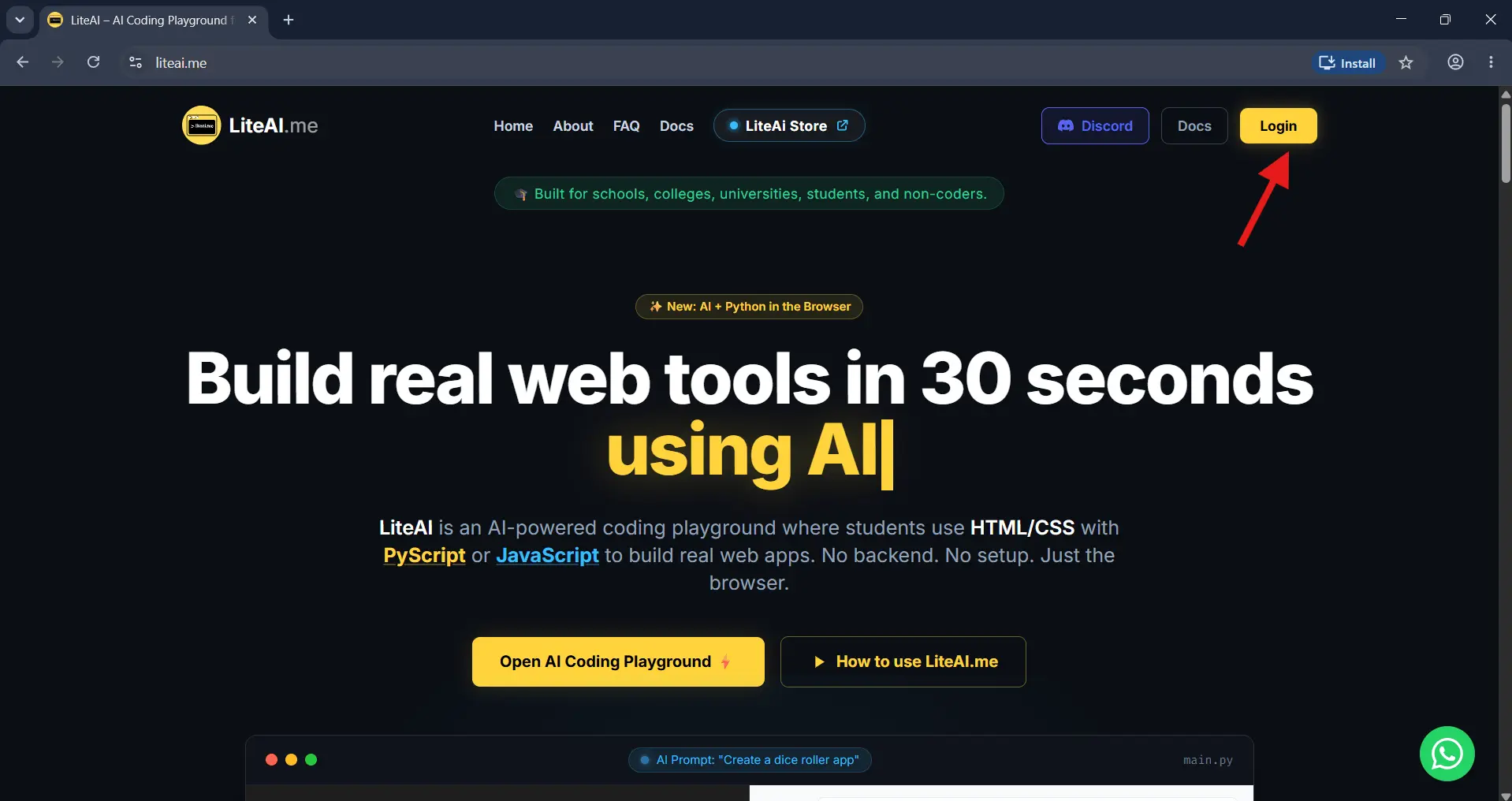
Start by navigating to the LiteAI homepage. Click the Login button located in the top right corner to access your free AI app building workspace.
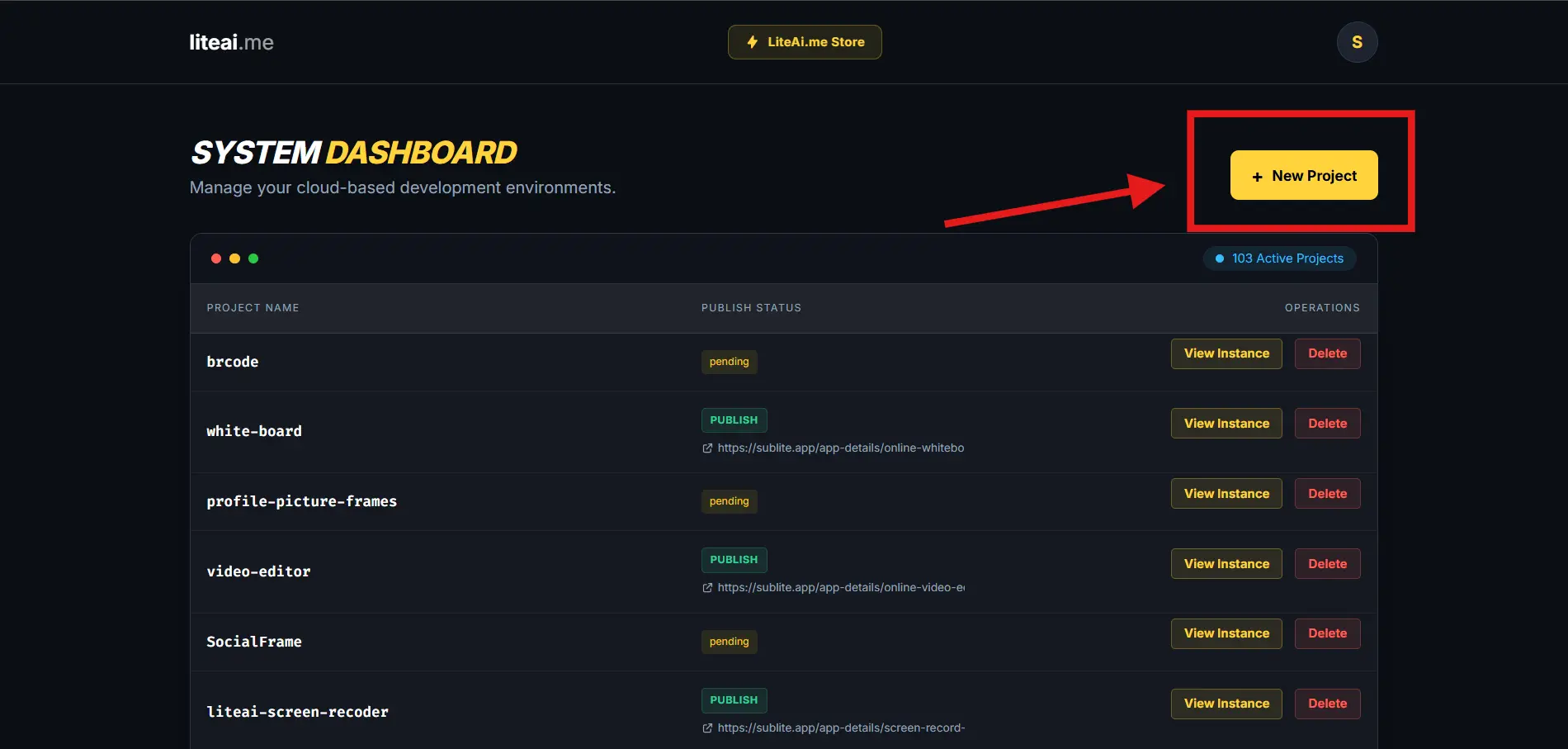
Once logged in, locate and click the yellow + New Project button on your System Dashboard to initialize your cloud environment.
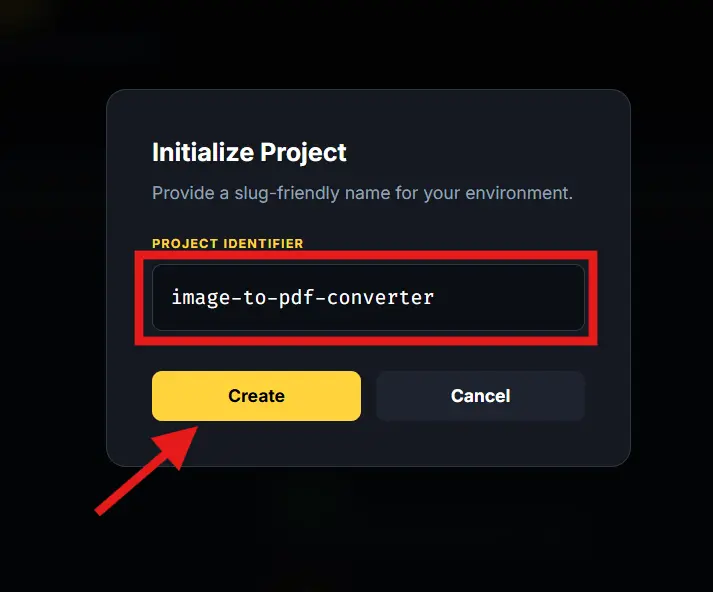
Provide a slug-friendly name for your new app (e.g., my-first-android-app) in the setup field, then click Create.
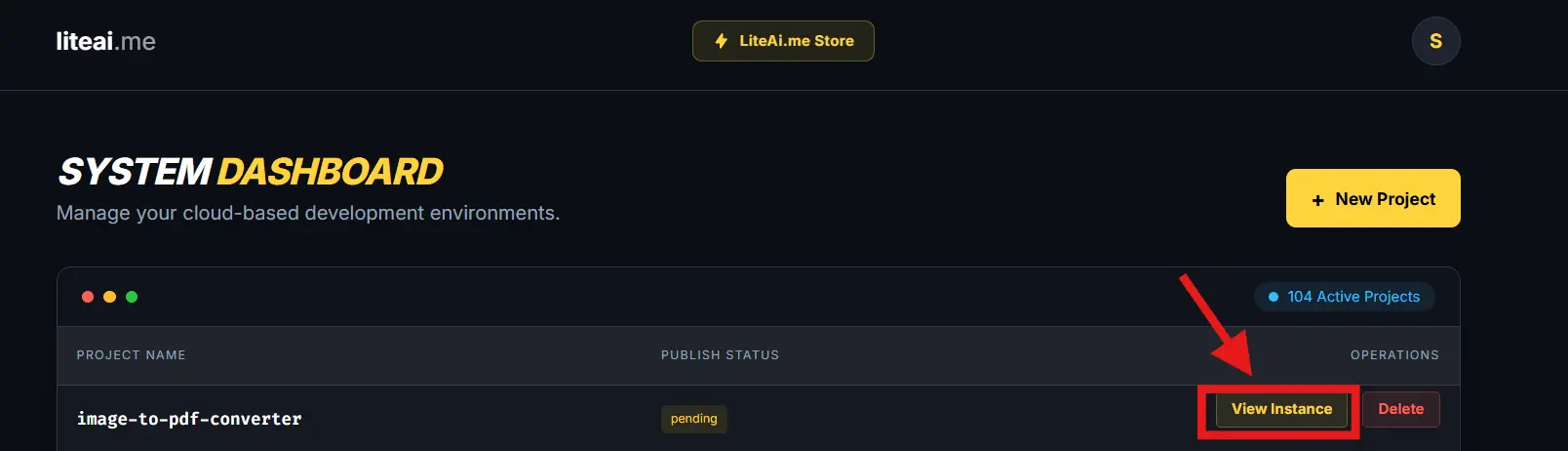
Your app will now appear in your "Active Projects" list. Click the View Instance button to open the development and generation studio.
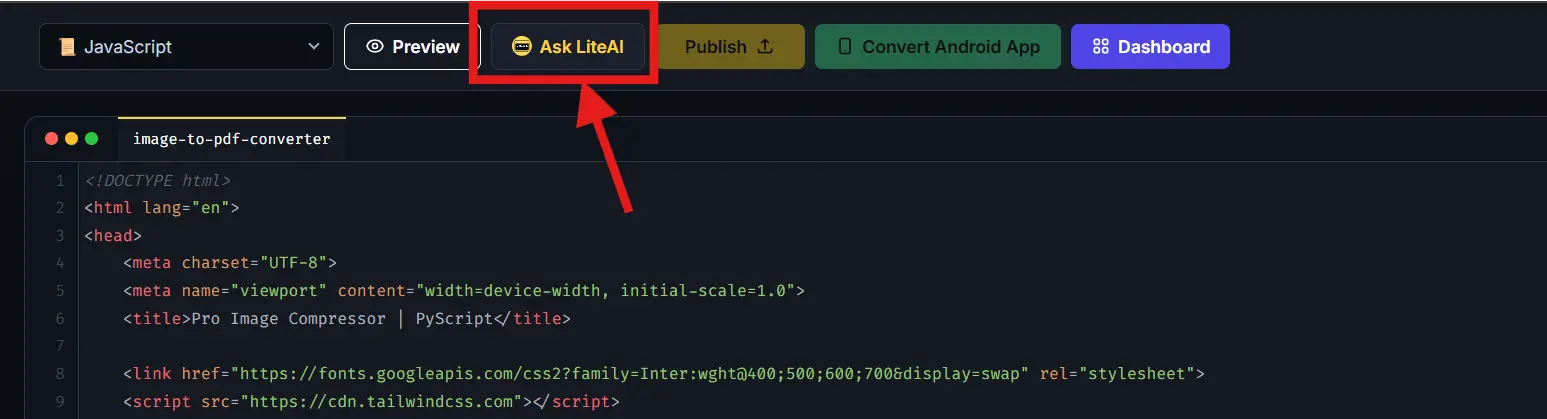
You don't need to know how to code. Click the Ask LiteAI button on the top action bar to summon your AI developer.
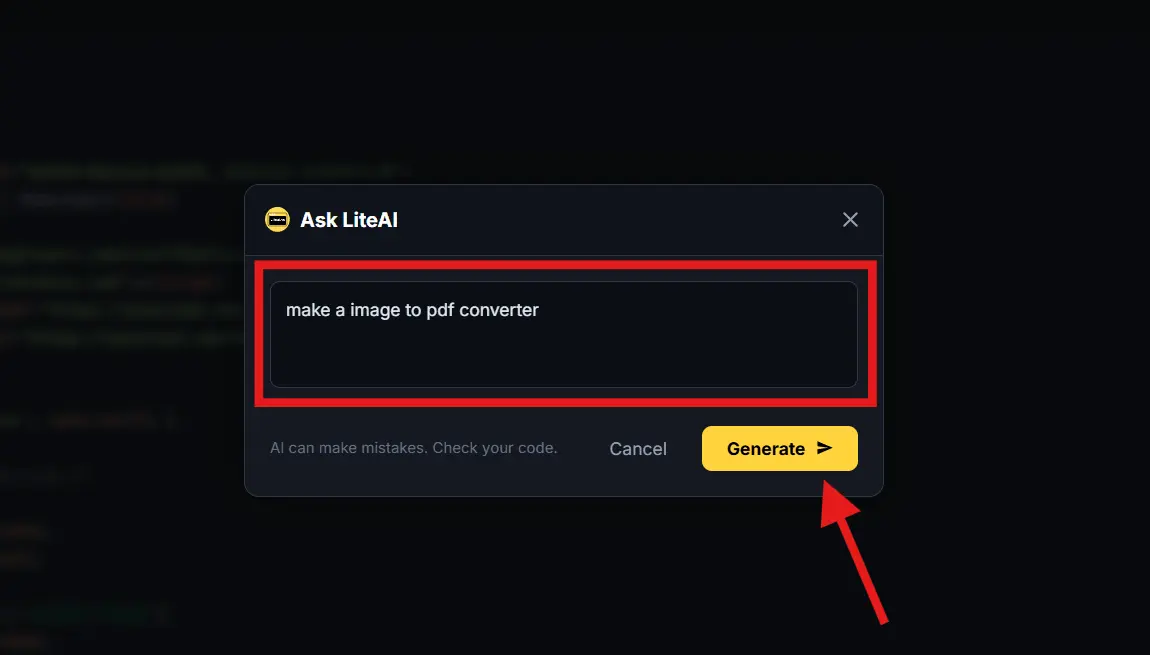
Simply type what you want to build (e.g., "build a task tracker app with local storage") and click Generate >. The AI will instantly write the application logic.
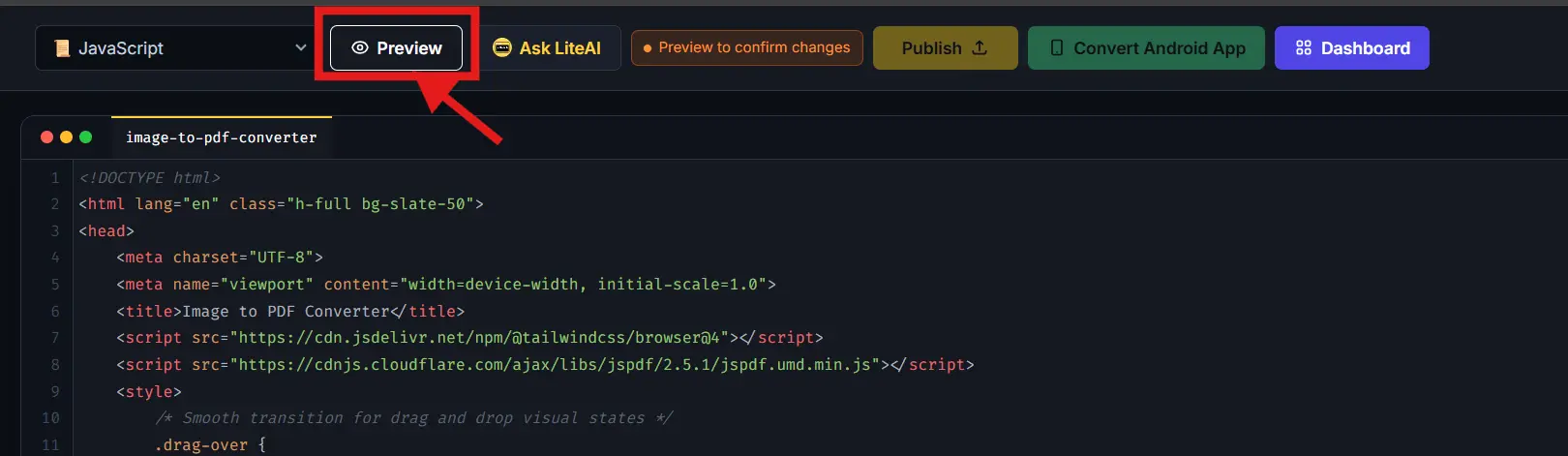
Click the Preview button in the top navigation bar to render your app and verify the UI looks perfect before building it for Android.
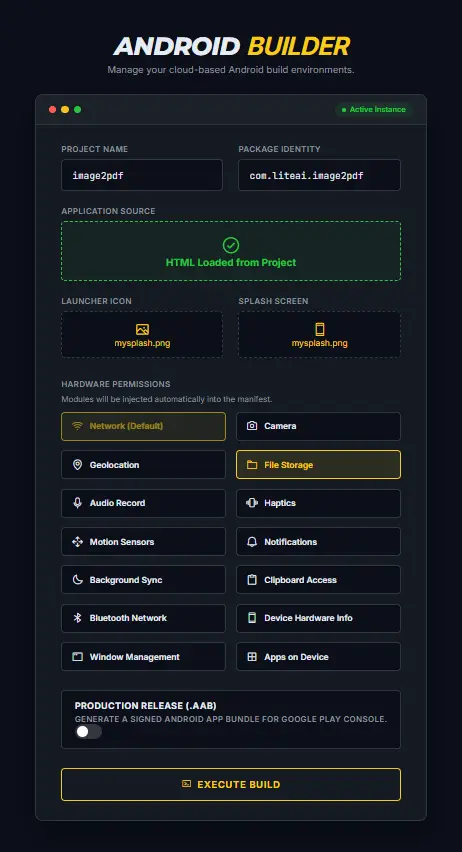
Click the green Compile Android App button. Select necessary device hardware permissions (like Camera or Location) and hit EXECUTE BUILD.
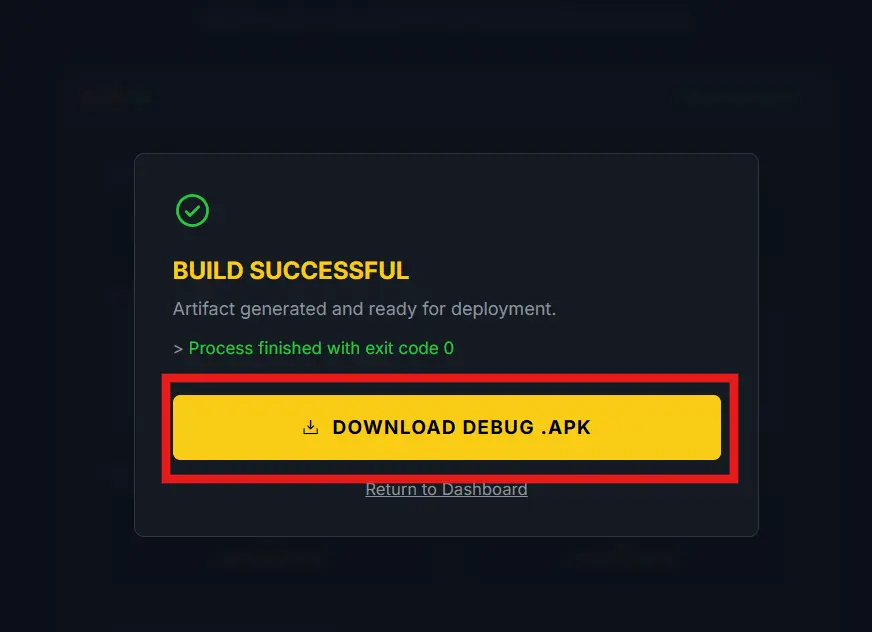
Success! Download your fully compiled Android App file to share with users, or grab the .AAB file to publish directly to the Google Play Store.
Yes, LiteAI is designed as an accessible application maker free for developers and beginners alike. You can use our free app maker workspace to build, design, and preview your AI-generated applications. A premium tier is available for unwatermarked app and AAB exports.
Login to the LiteAI workspace, open the 'Ask AI' assistant, and describe your app idea in plain English. The free app builder will instantly generate the underlying logic and layout. You can then click a single button to compile that AI-generated code into a downloadable Android application.
Yes. Unlike standard app builders, LiteAI integrates native Python (via PyScript) alongside JavaScript, making it an excellent free mobile app builder for data scientists and developers wanting to run Python logic in a mobile app.
Absolutely. The LiteAI free app maker generates signed Android App Bundles (.aab), which are the exact file formats required by Google for Play Store publication.